- By default, the only domain that reaches our servers is one you explicitly check.
- The as-you-browse badge is off by default. Turn it on and the extension reads existing public scores for the sites you visit — it never triggers new scans.
- Page content is never transmitted, under any setting.
Chrome extension
Score any domain without leaving the page.
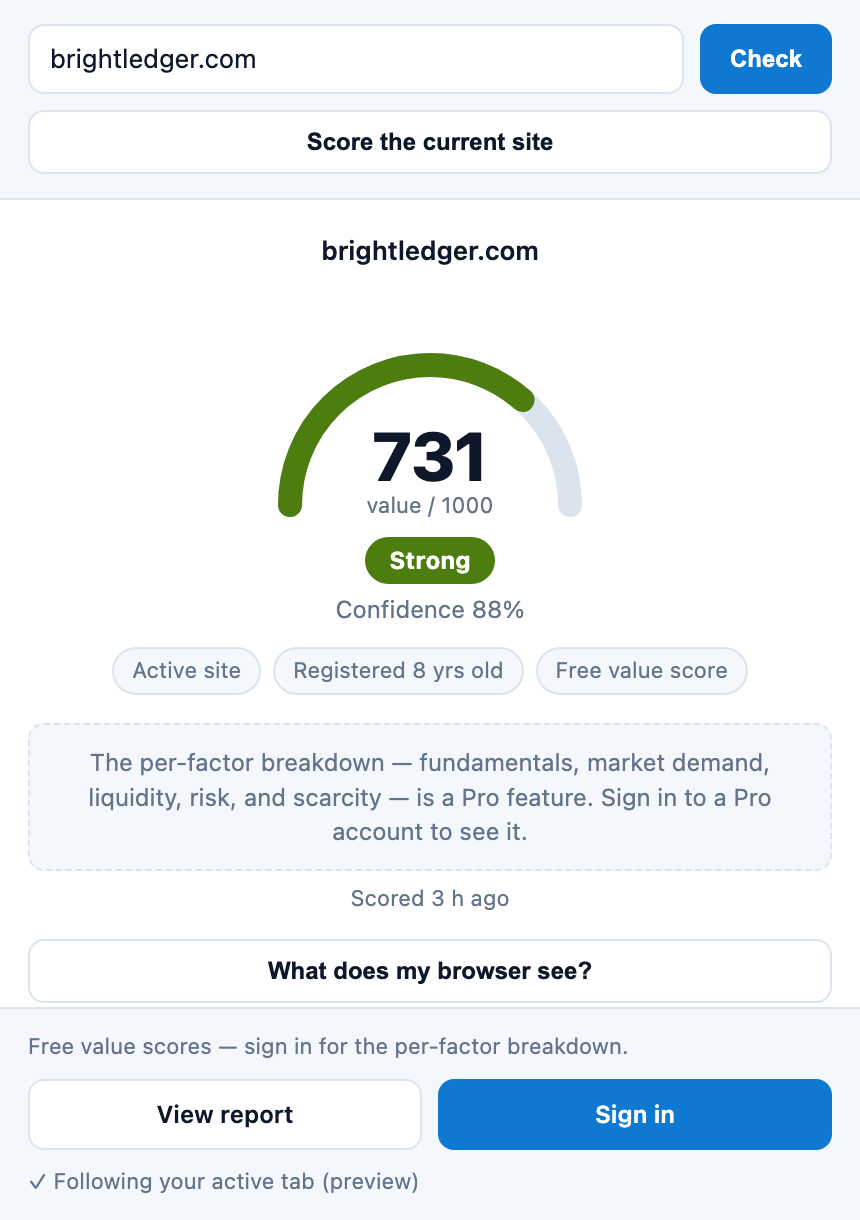
DomainValueScore in your browser. Open the side panel, score the domain you’re looking at or type any name, and get the same 0–1000 quality score this site gives — with the evidence behind it. Free, and a score, never an appraisal.
Chrome 116 or newer, and the Chromium browsers that share its store: Edge, Brave, Arc, Opera, and Vivaldi.
What it does
Score the domain you’re on
One click scores the name of the site in front of you — useful on a listing, a lander, or a for-sale page.
Or check any name
Type a domain into the panel and read its score before you bid, buy, or renew.
See why, not just what
Five weighted factors, and the plain-language reason whenever a cap — keyword-stuffed, trademarked, parked — is holding a score down.
The evidence, in the panel
All five factor scores are there for free. Sign in to a Pro account and the evidence behind each one — what was measured, and how confidently — opens right where you are.
What your browser sees, checked on your device
Click “What does my browser see?” and the panel reads the rendered page in the current tab: whether it is a live site, a parking lander, or a for-sale page, whether HTTPS is clean, and what the footer identity says. It runs entirely on your device and is never transmitted — which is also why it stays out of the score, since evidence collected inside a browser can be forged.
What it sends, and what it never sends
Installing takes about ten seconds
Open the listing on the Chrome Web Store.
Click Add to Chrome, then confirm.
Click the icon in your toolbar — the side panel opens, ready to score.
And for the assistant beside you
Claude, Cursor and ChatGPT can call the same scoring directly through our MCP connector: look a domain up, run a scan, read the methodology, and cite the result with its model version and report link. Four of the tools need no account at all. The developer page has the endpoint and a copy-paste setup for each client.
Also from us
WebTrustScore has an extension too: a 0–1000 trust score for any website, in the same side panel.